Know her taste first
Each customer has a preference card — two styles, a fabric or pattern, a colour and an accessory — visible on her journal page once your relationship has grown. The character reference collects all ten documented cards. A gift that matches her lines is the documented direction; there is no visible final score bar for a gift dress, so preferences are the target you design toward.
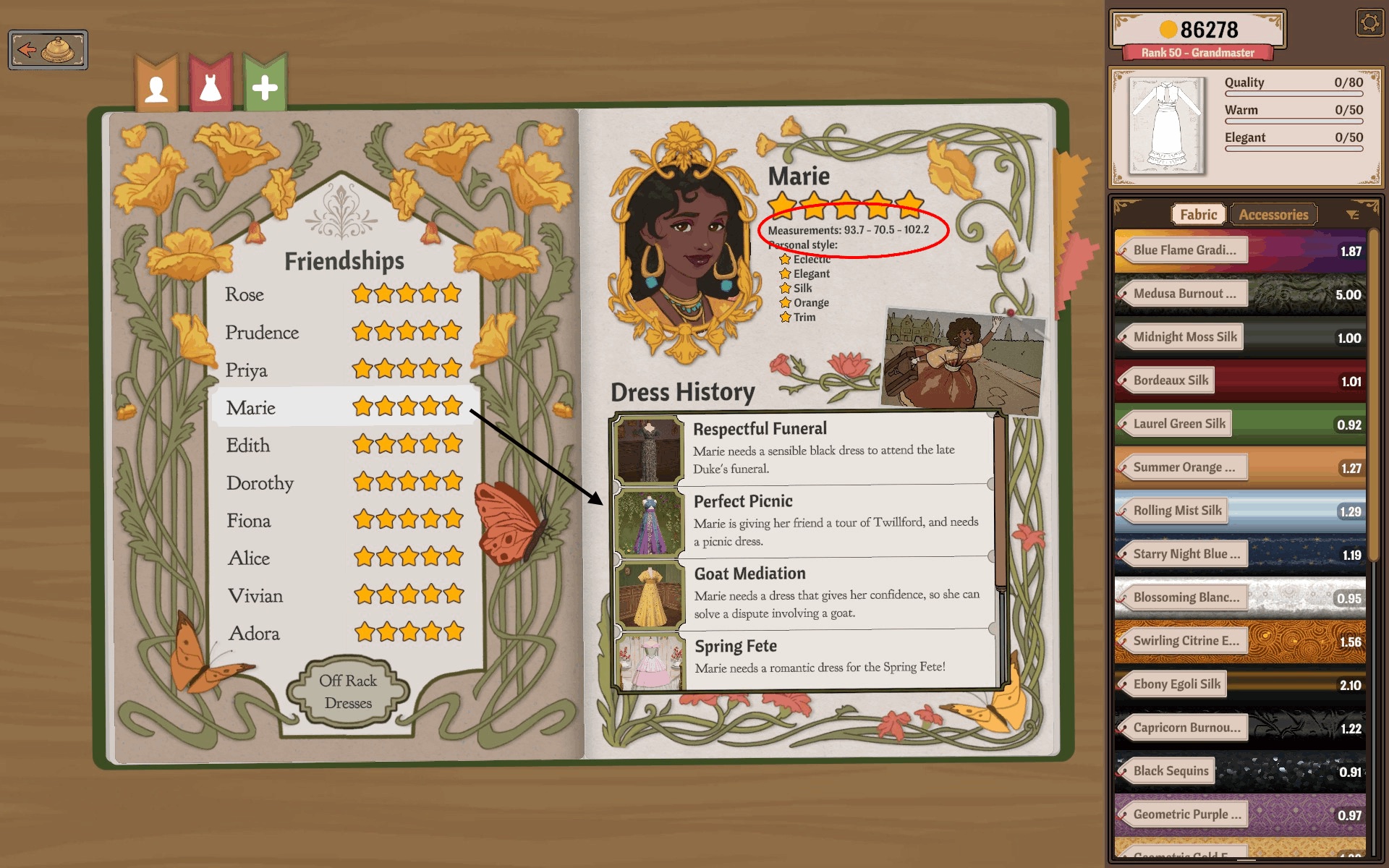
Make a separate dress
- Start a design of its own from the sketchbook — the plus sign / Create New Dress route — not the page of the commission you still owe.
- Draft, cut and sew it toward her preferences with what you have unlocked.
- Finish the dress and take the photo. The completion screen is where the paths split.
Gift Dress is not Complete Commission
The photographed completion screen offers four distinct actions: Complete Commission, Keep working, Sell and Gift Dress. Choosing Gift Dress takes you to a recipient choice; the dress then leaves your stock as a present.
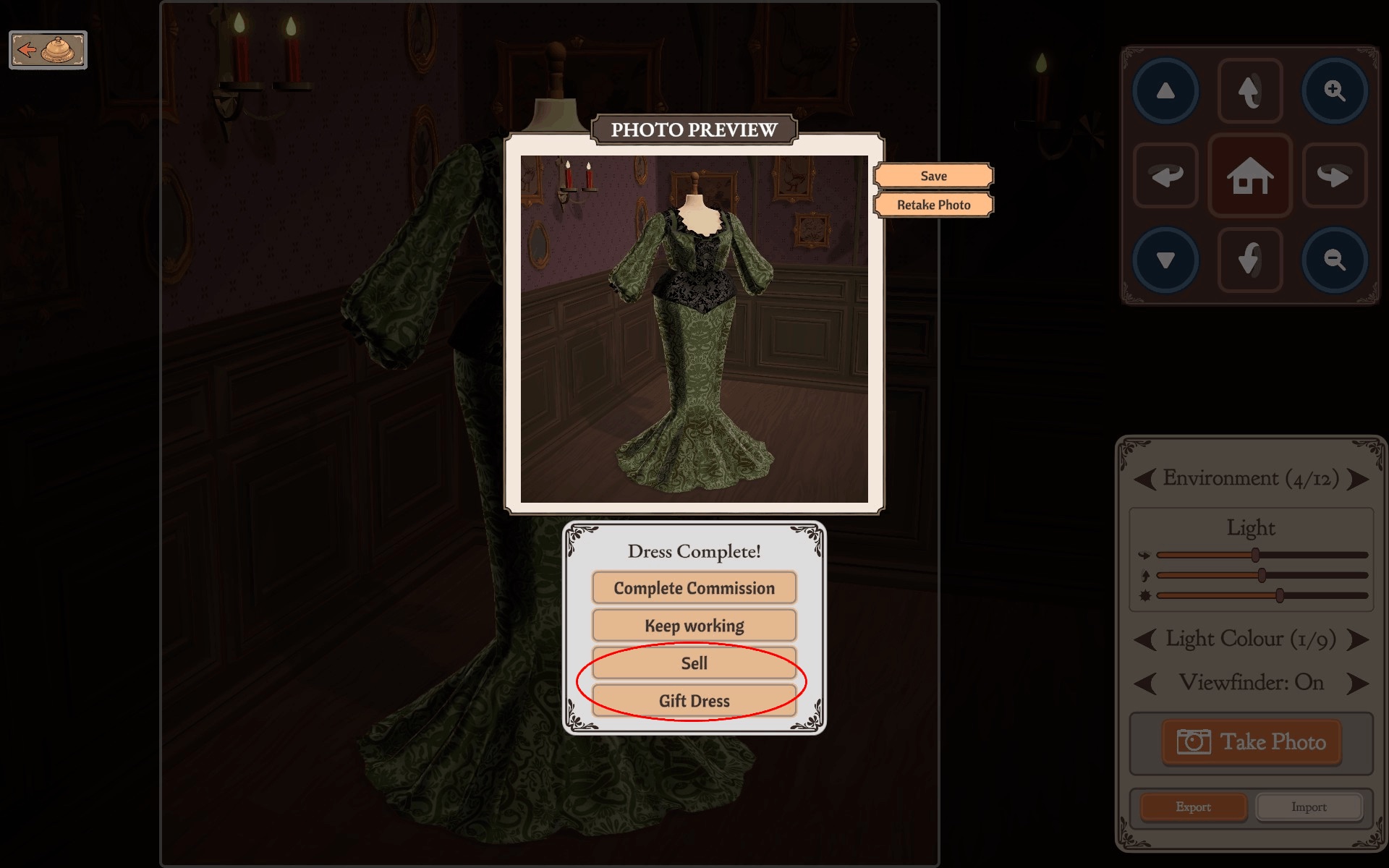
The documented mistake: a player sent the customer's commission dress as a gift. The customer accepted the present, the commission stayed unfinished, and a second dress had to be made. If the order is still open, use Complete Commission; gift a different dress.
What gifts actually do
Documented outcomes: dresses matched to a customer's preferences raise the relationship, and higher relationships gradually open up more — the character cards and pattern progress track it. What is not documented: a fixed star gain per gift, a full list of which pattern unlocks from whom, or that every customer rewards gifts equally. One player reports two disliked gifts simply not landing — treat failed gifts as a reason to re-read her card, not as proof gifts are consequence-free either way. If you are short on cash, note that gifting is a relationship spend, not income — for recovering money, see off-rack cash recovery.