Plan from the current pattern
The sketchbook puts the design, fabric sample, tags, and approximate amount in one place. Check that estimate for this dress, then compare it with the amount and price shown in the shop. If your design uses more than one material, inspect each purchase separately.
If the brief calls for a material or colour proportion, place the intended fabric on substantial panels and check the card again. A small accent may leave the requirement short. In one documented sequins commission, the walkthrough puts the requested material on main panels; the current card tells you whether that approach works for your order.
Place, inspect, then cut
Lay out large pieces before small ones so you can see whether the arrangement fits. Look at the direction arrow, print orientation, and each piece's live Grain Quality. Rotate or rearrange while the screen still lets you correct the plan. Only cut when the current feedback is acceptable for the commission you are making.
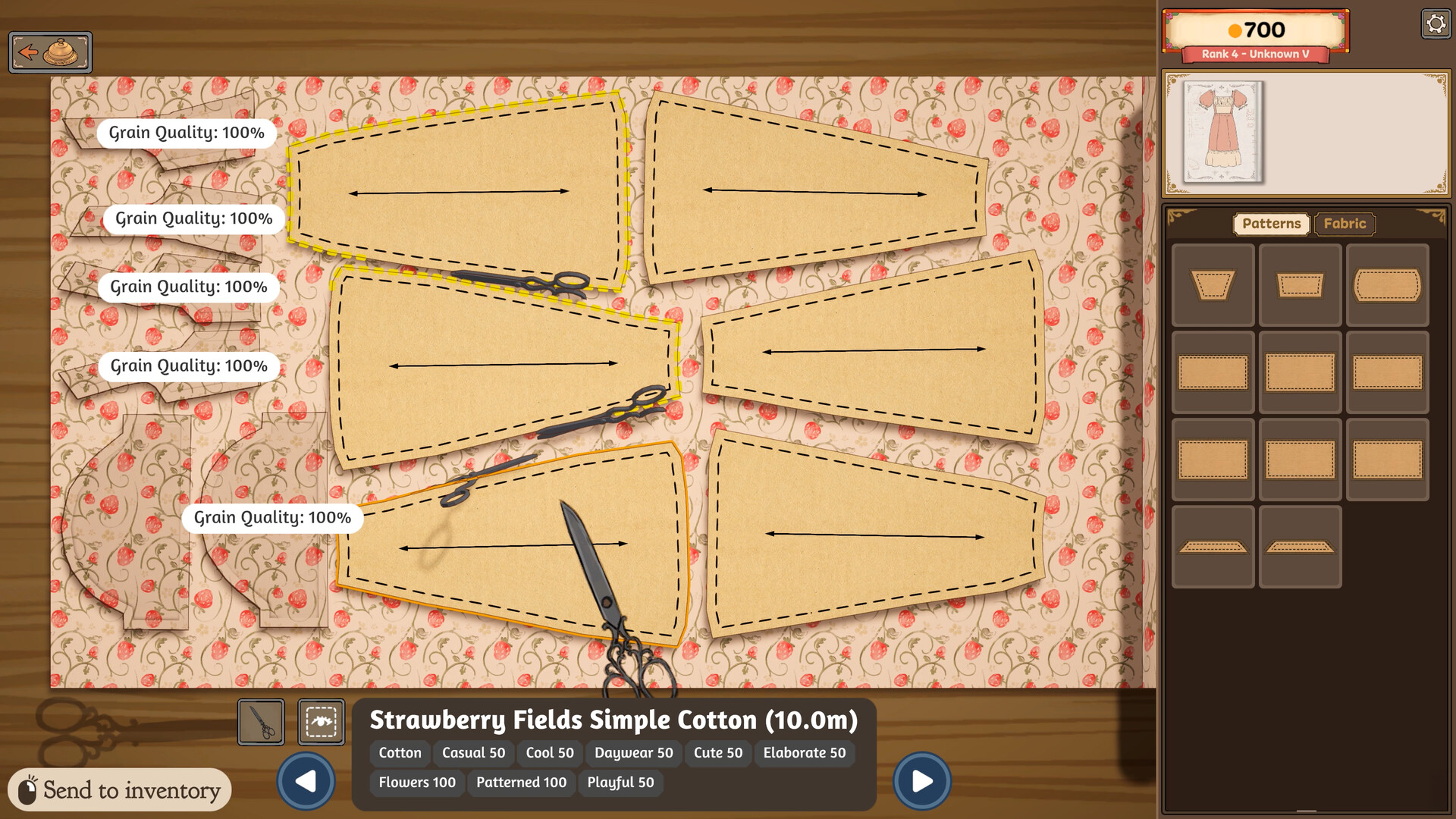
A compact layout can save material but may conflict with quality. The official store describes grain or bias and layout as part of the finished result. If several pieces show 100% Grain Quality, still check the whole dress against the commission's quality requirement; a panel score is not the finished-dress score.
Sew with the visible controls
At the sewing machine, the official screenshot shows Space for sewing, A/D for rotation, and W/S for speed. Slow down at tight curves and follow the visible seam line. A player guide also suggests Sewing Assist for accuracy; use the option if it appears in your current build and fits how you want to play.
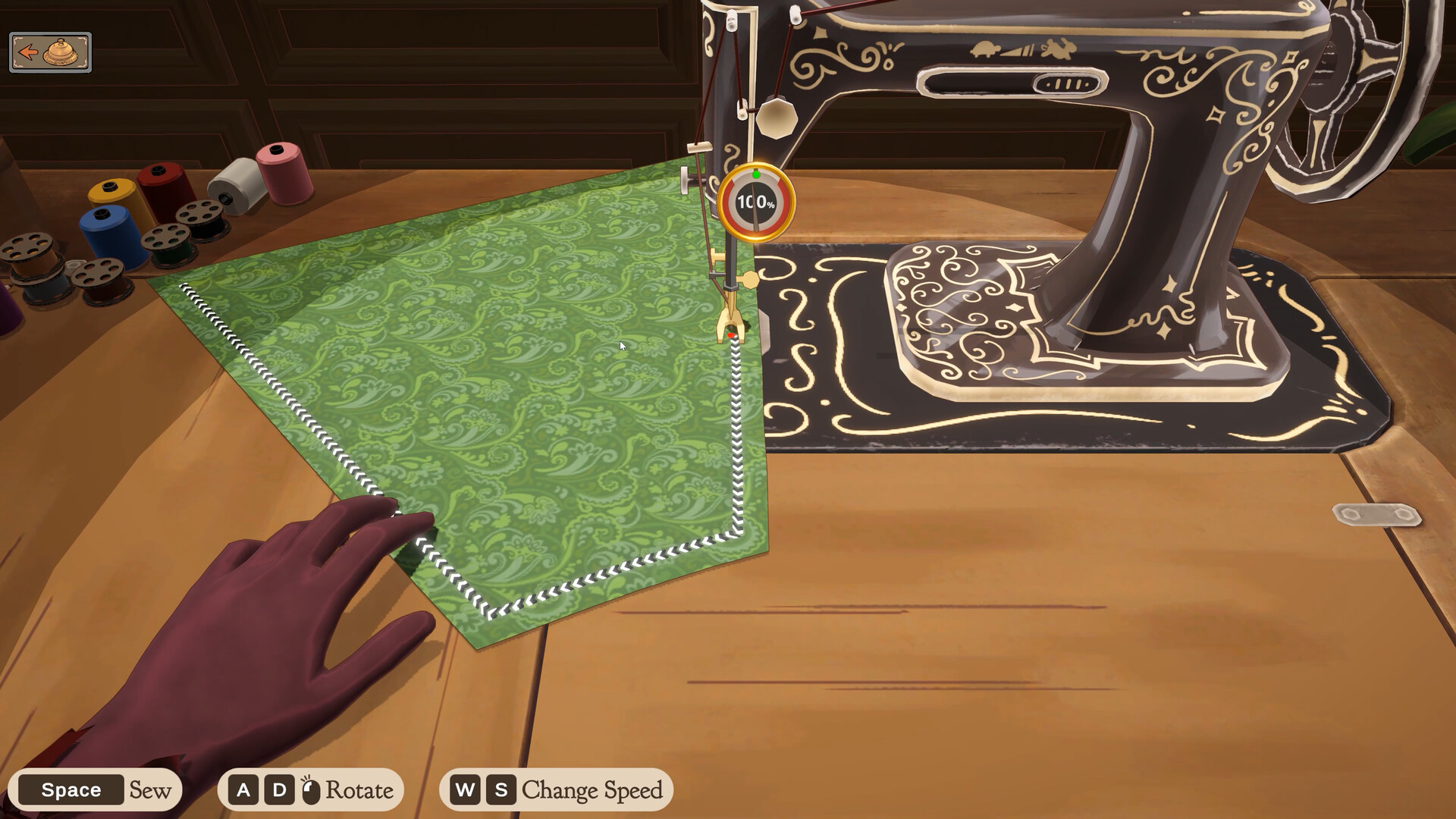
Once the pieces are assembled, compare the finished quality with the brief. Buying a more expensive material cannot by itself undo a cutting or sewing mistake.
If a panel looks wrong
Check whether your current screen offers a way to recover or recut the affected piece before delivery, then inspect the feedback again. A player guide describes reclaiming a cut piece; one player reported material returning after “Restart dress.” Check the visible option and its cost in your own save before committing more material.
Move on to sewing and trim for decoration checks, then use the commission handoff guide before final submission.