Read the brief before spending
In the sketchbook, separate the customer's story from the actual Requirements. Note the quality target, style tags, allowed colours or materials, and whether an accessory is required. A condition saying “use only” or “at most” is not a score to maximize. It changes what counts as an acceptable choice.
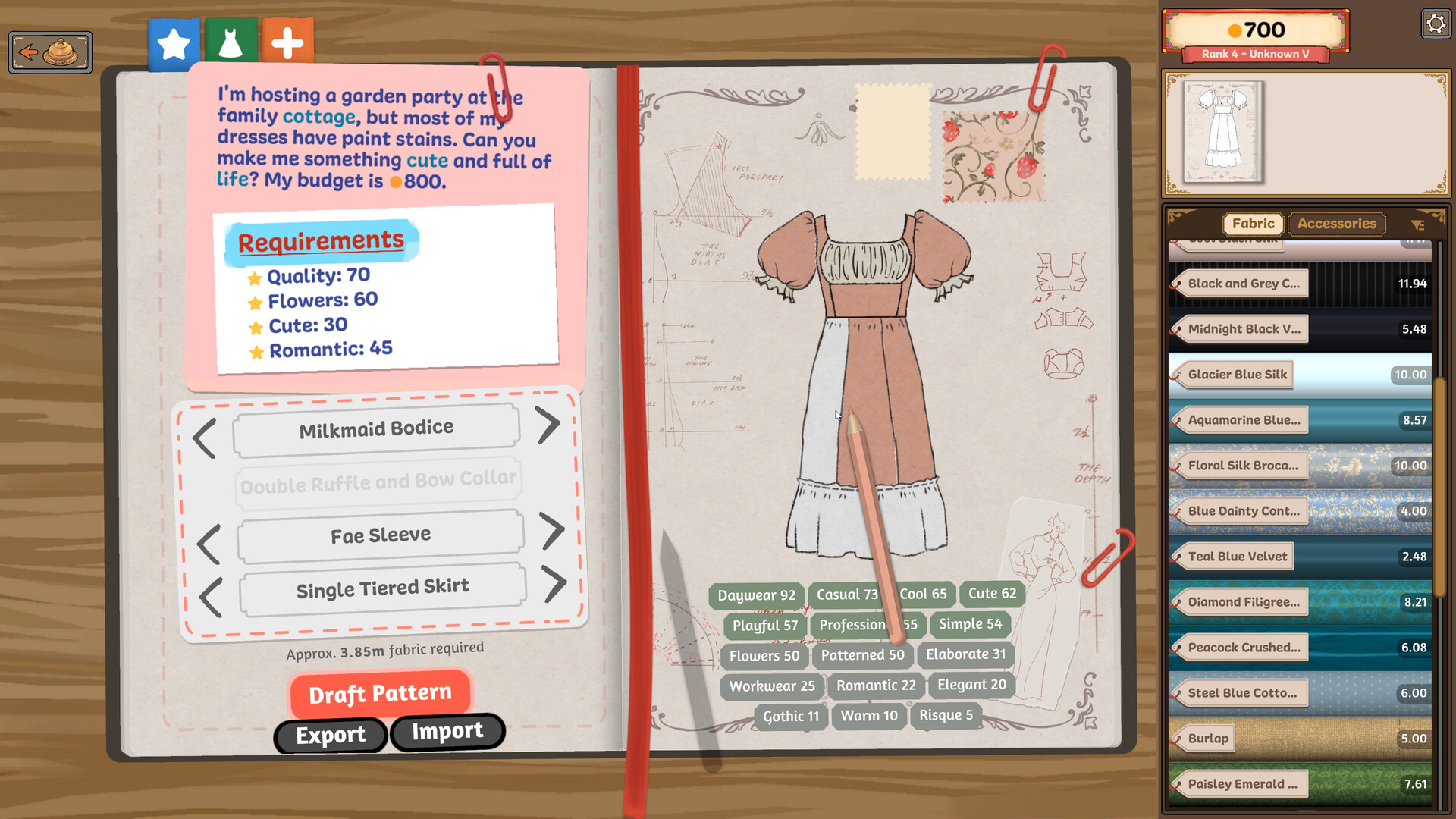
In the example below, Flowers and Romantic requirements appear on the left; the current draft's values on the right are still short. Find those short values in your own sketchbook before choosing more materials.
For a named brief, keep its pattern plan beside the card: Chilly Overtime's four-piece Corduroy plan, Marie's three-colour wedding route, or Raven Rising's allowed colour list. The same helpful fabric can break a different order's cap or colour rule.
Build a shape, then fill the short tags
Click the bodice, sleeves, skirt, and collar names in the sketchbook to change the draft. Watch which tag values rise or fall with each choice. If a required tag stays short, identify that gap before trying to fill it with fabric; use the current values on screen instead of an old prototype recipe.
- Choose the major pattern pieces that suit the requested shape.
- Compare the visible draft tags with the customer's minimums and limits.
- Write down which requirements remain short or in conflict before opening the shop.
Why a collar or sleeve changes the share
For colour and fabric-type requirements, use the live percentage row rather than estimating from visible area. Before Build 443, these shares used each panel's raw area relative to all the fabric in the dress. The 14 October update boosts panels on small components, such as collars and sleeves, so they make a more meaningful contribution. An existing dress can therefore show a different colour or material score after the update without you changing its fabric.
Style tags already used this kind of weighting; Build 443 brings colour and fabric type into line with it. It does not publish the boost values, so a collar is not a guaranteed way to clear a particular percentage. Choose a useful fabric for the main pieces, adjust smaller components when needed, and compare every minimum, maximum and only condition again before cutting. For a concrete share target, see Art Appreciator's 50% sequins or Crowning Glory's two 25% colour rows.
Shop against this brief
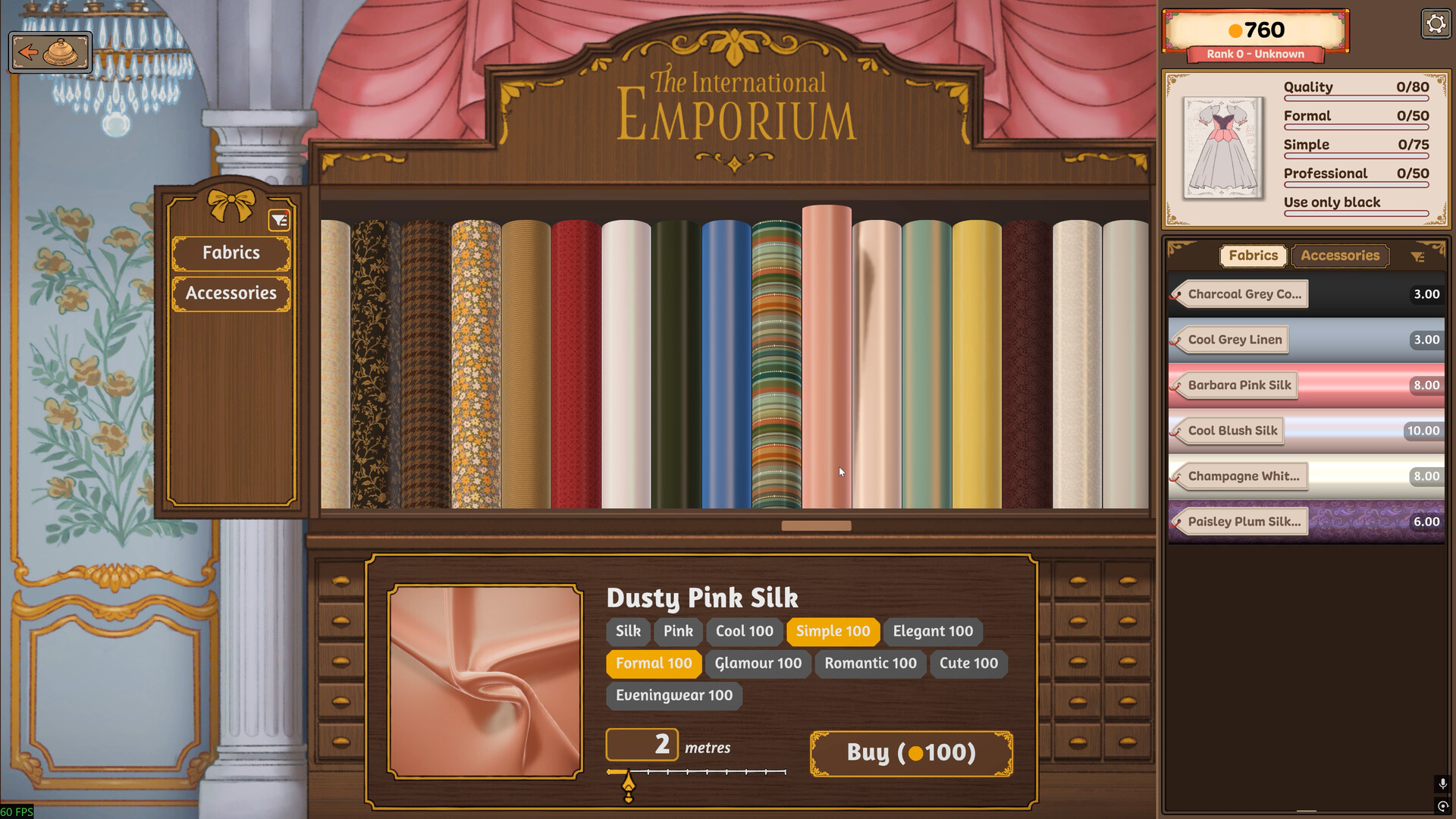
In the Emporium, inspect the current fabric or accessory card: type, colour, tags, metres, and price. A helpful tag does not override a strict colour rule. The pictured pink silk appears beside a commission that says Use only black, so it demonstrates exactly why you should compare the shop item with the side card before purchase.
Missing fabric or accessory in the Emporium? Check the Fabrics or Accessories tab and clear any narrow shop filters before assuming it is locked. Missing a pattern in the sketchbook? Click its component name, such as skirt or sleeve, to open the variants screen; the player guide describes a separate filter there that can hide options you already own. Some styles also have small dots marking additional variants. If clearing the relevant filter still does not reveal it, the pattern may not be unlocked on your save. The same guide reports relationship progression unlocking new patterns, but gives no universal unlock list. Work with the available design instead of buying an unsuitable substitute.
Looking for Build 443's new stock? The new skirt variants, cottons, lace, silks, accessories and trims unlock through the existing campaign progression. If your save has already passed an item's unlock point, it is unlocked retroactively. Examples include Taupe Cotton, Silver Lace and Pastel Pink Lace; each still needs its own card checked against the order. The notes give no exact commission or relationship threshold for these unlocks.
Cotton and floral orders: keep the named brief in view
Several commissions use similar affordable or floral fabrics, but their shapes and style sets differ. These are the walkthrough's starting routes, not fixed recipes. Use the comparison to choose the relevant design, then check its live tags against your own card.
| Commission | Pattern route | Fabric choice and deciding check |
|---|---|---|
| Walking Billboard Cute / Patterned / Playful | Milkmaid bodice, flutter sleeves, gathered tiered ruffle skirt | Strawberry Fields or Red Forget-me-not cotton. Compare all three style rows; a visible print alone does not establish its tags. |
| Secret Gallery Visit Cute / Patterned / Playful | Milkmaid bodice, flutter sleeves, apron skirt | Cheap patterned cotton. It shares Walking Billboard's fabric approach, but the documented skirt is apron rather than gathered tiered ruffle. |
| Floral Romance Eveningwear / Romantic / Flowers | Sweetheart bodice, widow's peak collar, pleated drop sleeves, basque tiered skirt | Mostly cotton with a little silk where its tags help. Keep the Eveningwear row in view; do not spend on silk everywhere by default. |
| Artistic Retreat Daywear / Romantic / Flowers | Elevated scoop ruffle bodice, pussybow collar, butterfly sleeves, flare skirt | Floral-print fabrics. The task asks for Daywear, not Floral Romance's Eveningwear: preserve that distinction when selecting the print. |
Flowers is not automatically a placed-flower count. Read the exact row on the card. These floral style briefs do not establish Painted Dream's separate five-flower accessory requirement. If that is your order, use the Painted Dream solution rather than counting petals in the print.
Check the estimate before buying
Use the sketchbook's approximate fabric amount for the current design to plan the purchase, then check the shop's actual quantity and total price. Leave room in your wallet for any accessory you still need. The customer's displayed budget does not by itself tell you your eventual net earnings after materials or when payment arrives.
When the fabric and pattern choices match the visible requirements, continue to cutting and quality. If the dress is assembled but the customer cannot accept it, use the delivery checklist before trying random replacements.