Check which page you are on
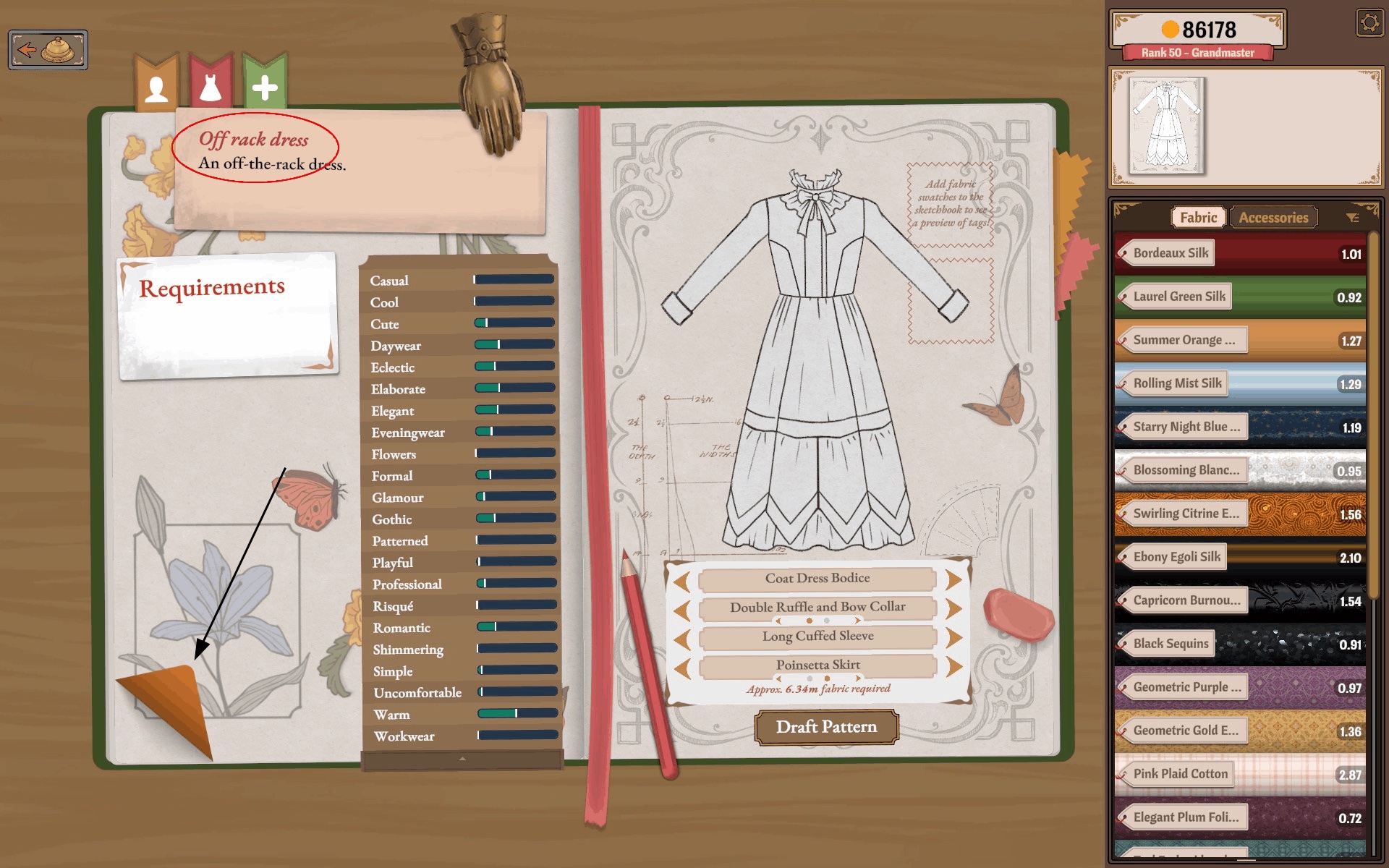
The pink tab of the sketchbook holds dress designs, one page per dress. If the page in front of you has an empty requirements card — no customer name, no Quality or style rows — you are looking at an off-rack design, not your story commission. The dress in the screenshot below has no requirements at all because off-rack dresses are free designs; a story order always carries its card.
Flip back to the story dress
- Open the sketchbook and stay on the pink tab.
- Use the page-turn at the bottom-right corner of the journal page to leaf back through earlier pages until the requirements card shows your commission's name and rows.
- If you are at the cutting table, the dress thumbnail routes back to its journal page — use it to confirm which design you are actually working on.
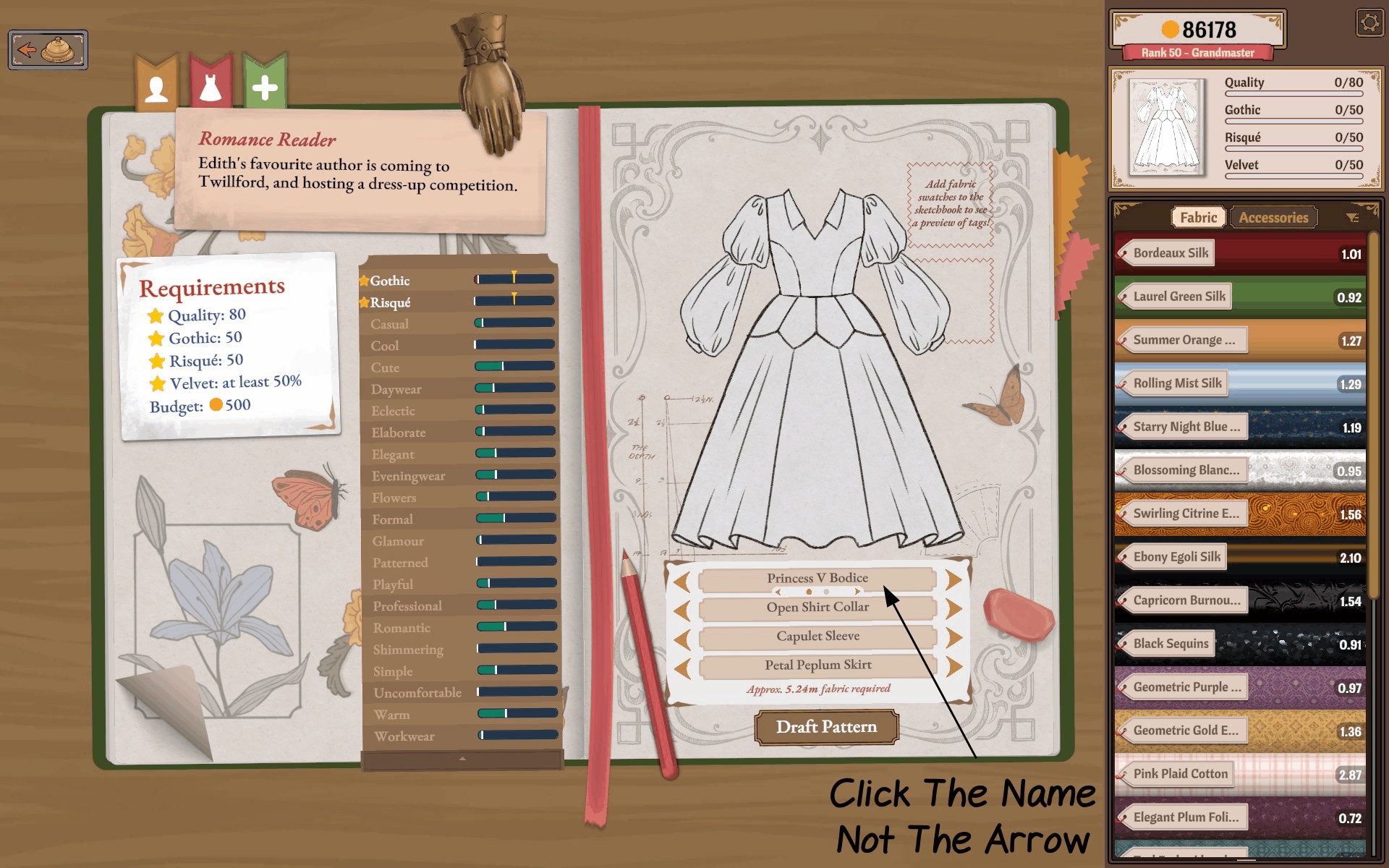
Once the right page is in front of you, the documented interface detail worth knowing: to change a pattern piece, click the piece's name, not the arrow beside it. The name opens the alternatives list for that slot.
Jump in through character history
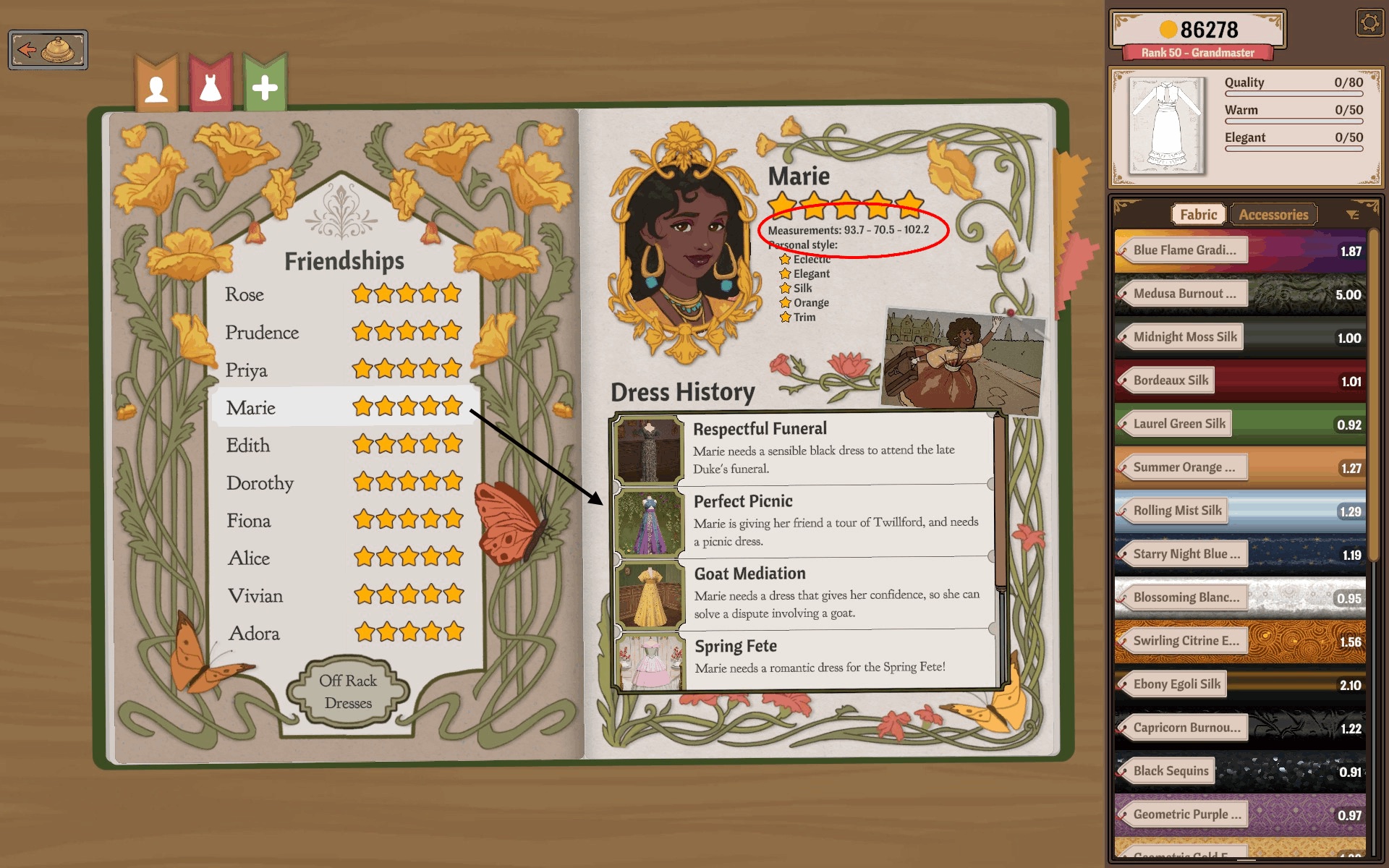
The sketchbook's yellow tab lists every customer. Opening a customer shows her profile and a Dress History: each past commission is listed with its original brief line, and selecting an entry jumps to that dress's page. When you remember who ordered the dress but not where the page went, this is the fastest route back — and it doubles as the way to re-read an old brief.
Resume work on the recovered page
Two shortcuts documented on the journal page save a detour each time you return to a dress:
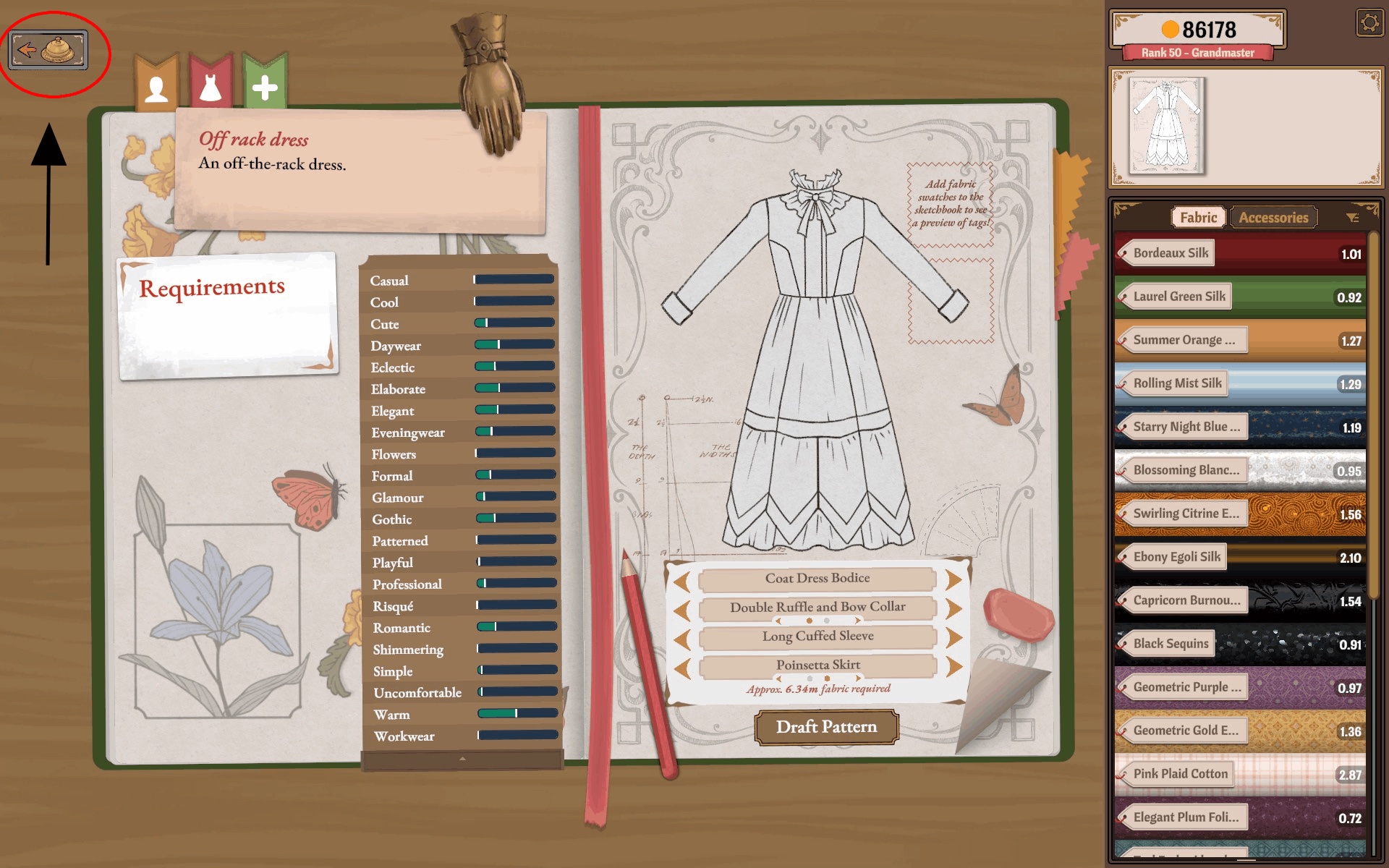
- The shop icon in the top-left corner of the journal page takes you to the fabric store and back, so you can buy a missing material before pressing Draft Pattern instead of backing out of the sketchbook entirely.
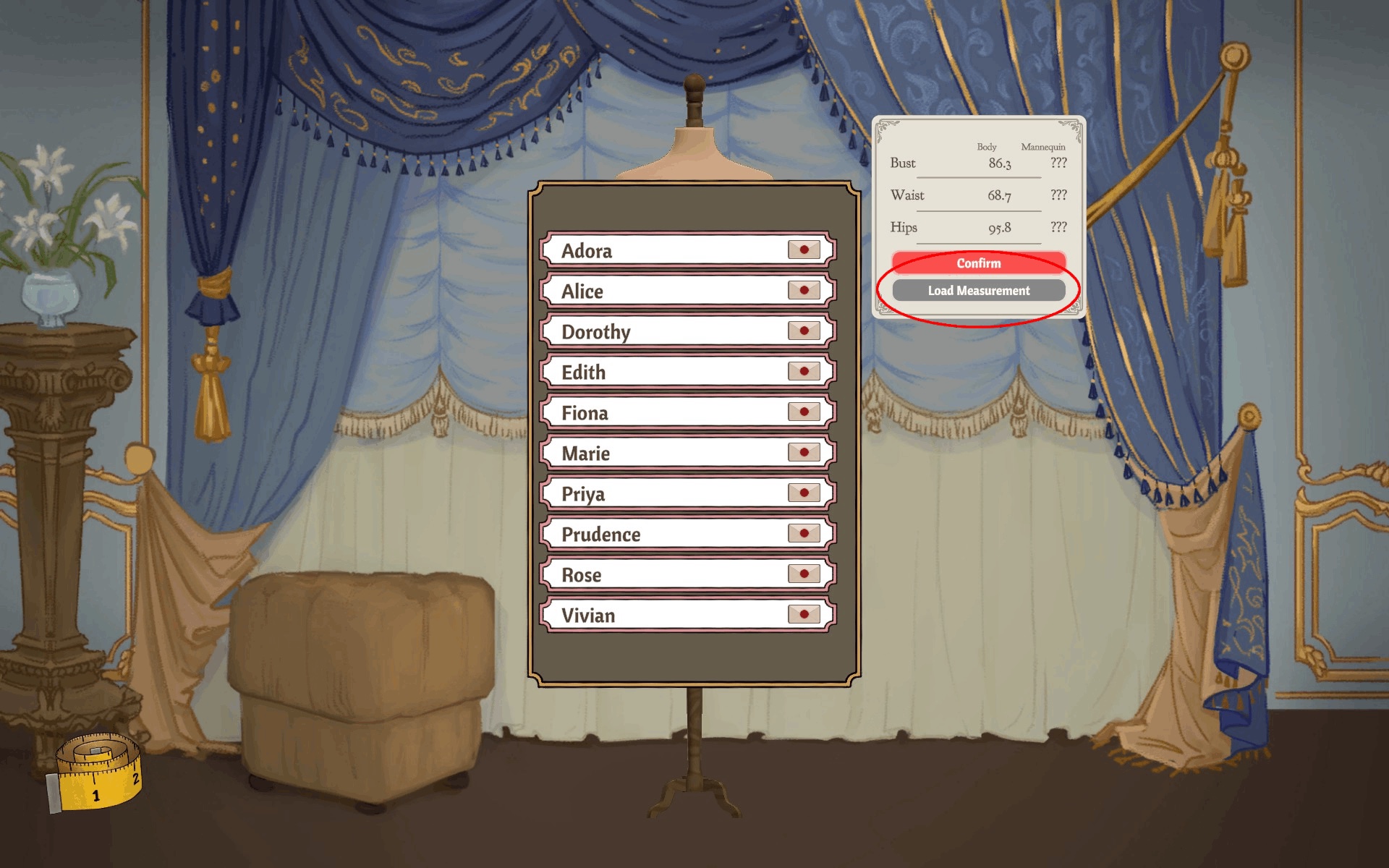
- In the fitting room, the customer list has a Load Measurement button: it loads that customer's saved body measurements onto the panel, so a returning customer does not need to be measured again from scratch. Loading the numbers is step one — you still adjust the mannequin dials to match them for each new dress.
What this does not fix
Page-flipping and Dress History recover a dress that still exists in the sketchbook. They do not repair a corrupted save, restore a dress you sold or deleted, or guarantee that a menu looks identical on every build. If the page genuinely is gone — not merely out of view — treat it as a save issue, not a navigation one. For what the off-rack page is actually for, see off-rack cash recovery.