Two counters, one dress
The card mixes style minimums — Eclectic, Patterned — with two numeric rows: Different fabrics 4 and Tassel 5. The documented route is a cinched keyhole bodice, mandarin collar, godiva sleeves and a scallop skirt, which gives you enough distinct pieces to spread four fabric entries across.
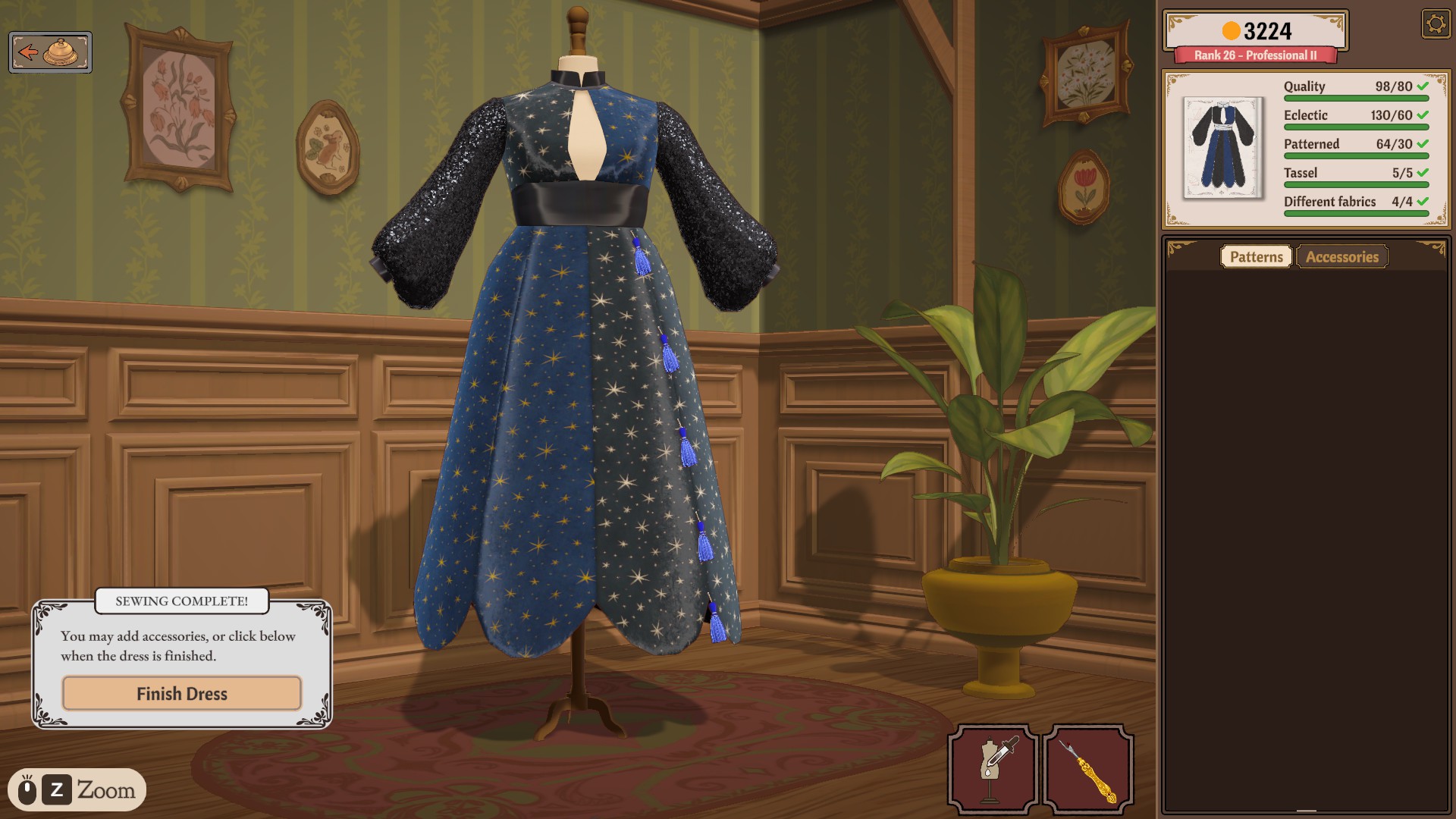
A four-fabric plan
“Different fabrics” counts separate fabric entries on the dress — not material types and not colour tags. Four entries can all be cotton and still count four; one multicolour print is still one entry. So don't try to satisfy this row with a single busy fabric, and don't assume you need silk, velvet, sequins and linen. Pick four patterned entries whose tags serve Eclectic and Patterned, and assign each to a real piece — bodice, collar, sleeves, skirt — so every entry also pulls the style rows instead of riding along as waste.
Placing the tassels
Tassels are accessories: they come from the Accessories tab and land on the dress one at a time, with the Tassel row ticking up per placement. Fabric choice never touches this counter. Place all five, watch the row read 5/5 (or your card's target), and only then treat the accessory check as done.
Before delivery
- Different fabrics row at its target — four genuinely separate entries, not four panels of one fabric.
- Tassel row at its target — placed accessories, not purchased stock.
- Eclectic and Patterned rows green.
- Quality at its target; if it lags, review the measuring-to-sewing chain.
- Then finish and choose Complete Commission.